
A workout tracker that remembers what you lifted last time
Log every set in a few taps and see last session’s numbers right beside it, so you always know what to beat. Fit Journal keeps working where there’s no signal.


Free to start. Needs iOS 18 or later, or Android 9 or later.
Know what to beat
- Last time
- 80 kg × 7
- Today
- 82.5 kg × 7
+2.5 kg
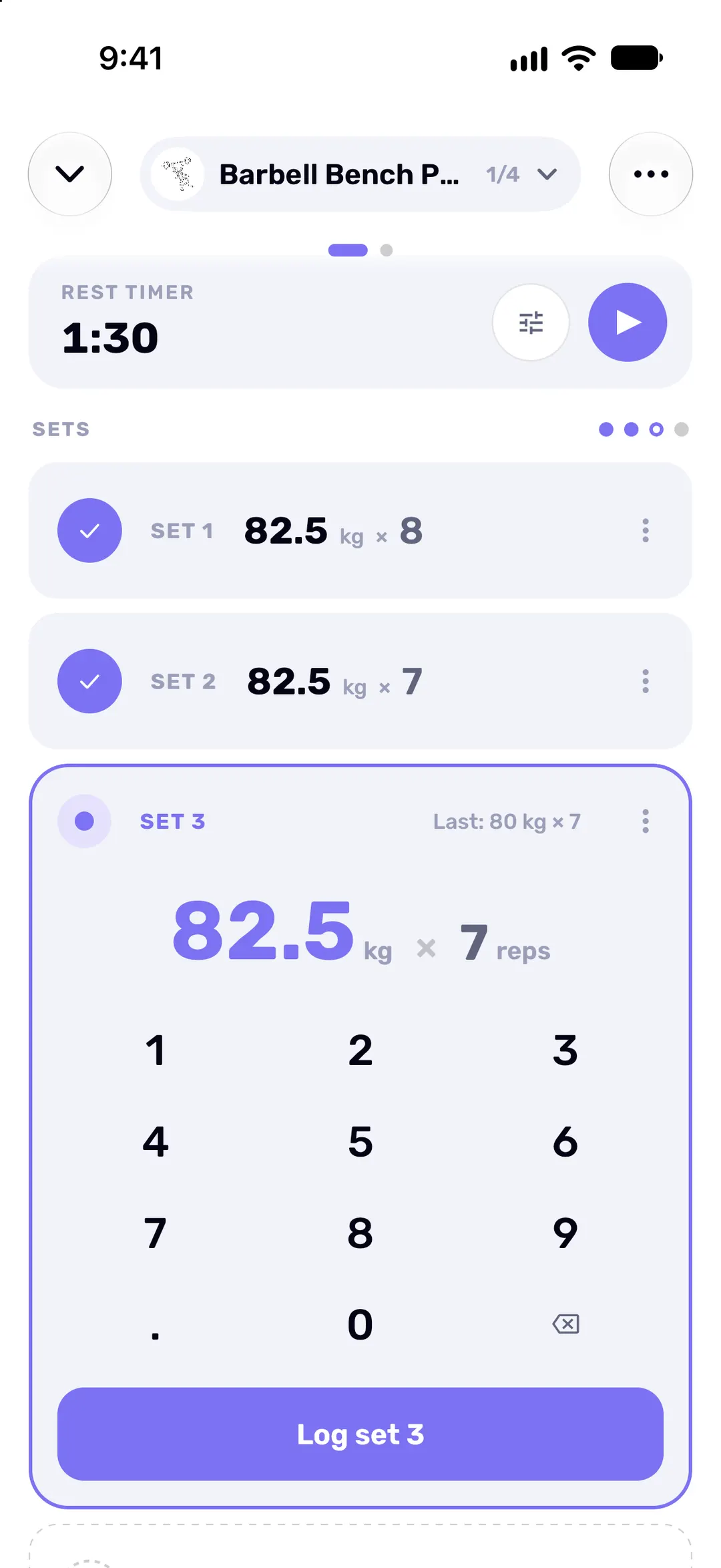
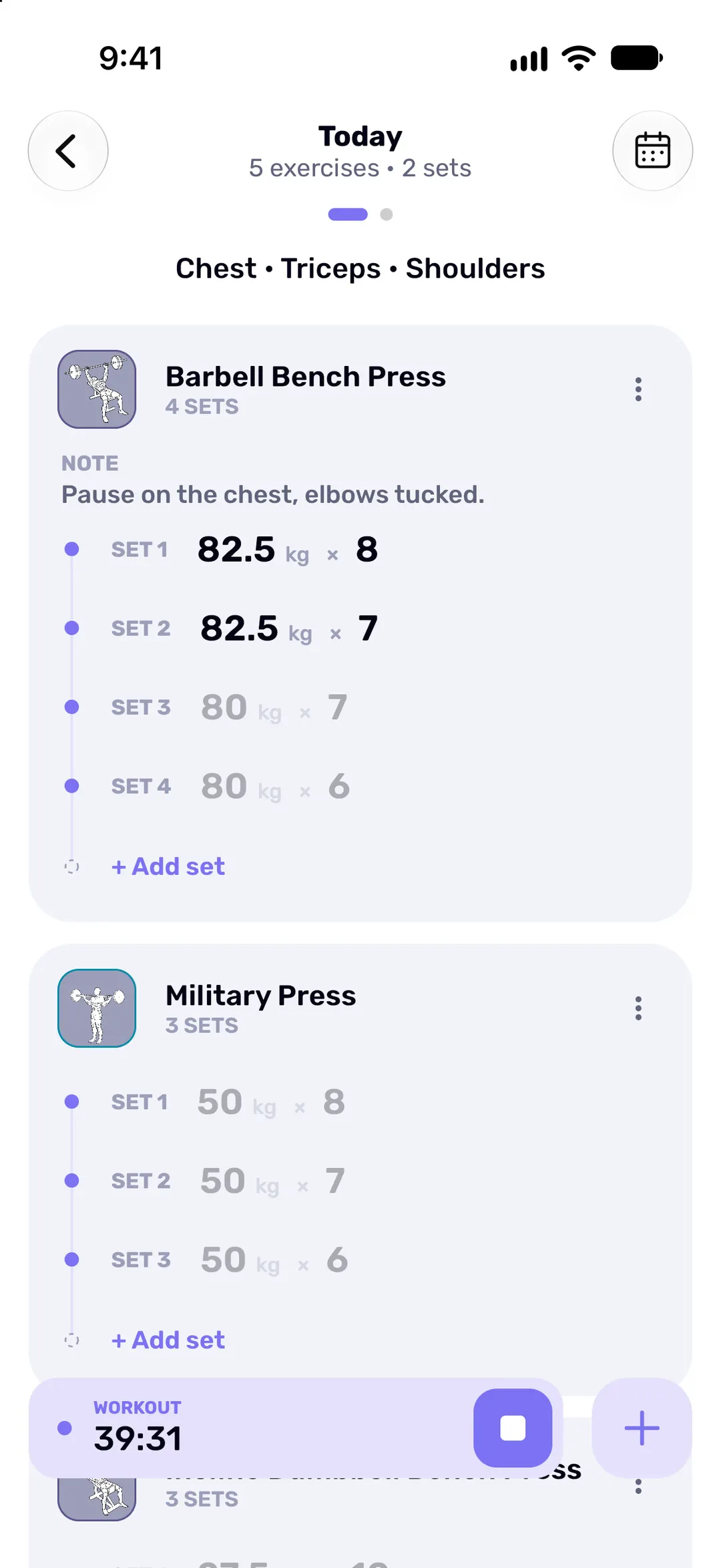
Every set shows the matching set from your previous session, so “Last: 80 kg × 7” sits right where you type today’s numbers. Swipe across in the set editor for the exercise’s full history, or repeat a whole past workout on the day you choose.
From the first set to the last
-
Log the set
Open an exercise and the set editor is ready. Punch in weight and reps on the big keypad, tap Log set, and the next set is up. Pair two exercises into a superset when you alternate between them.
-
Rest without watching the clock
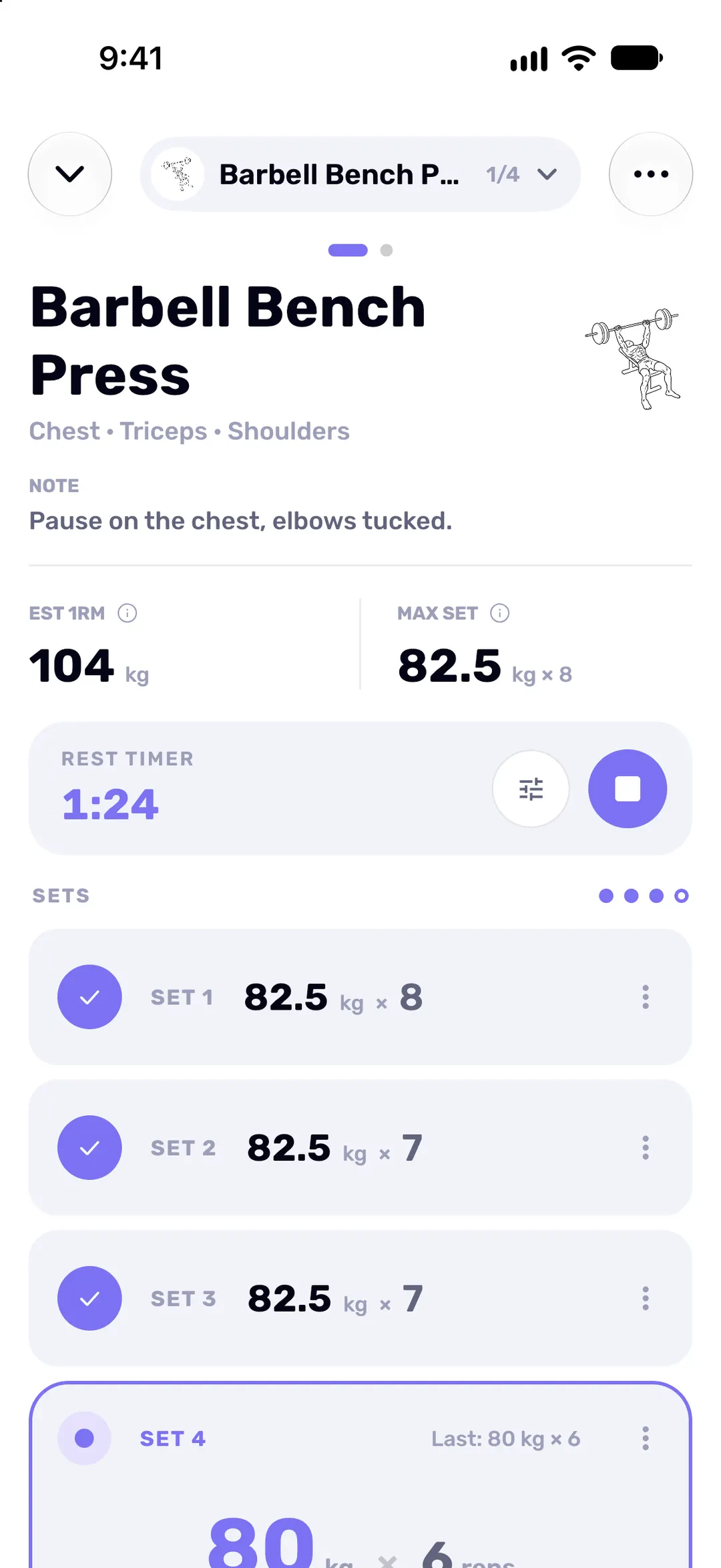
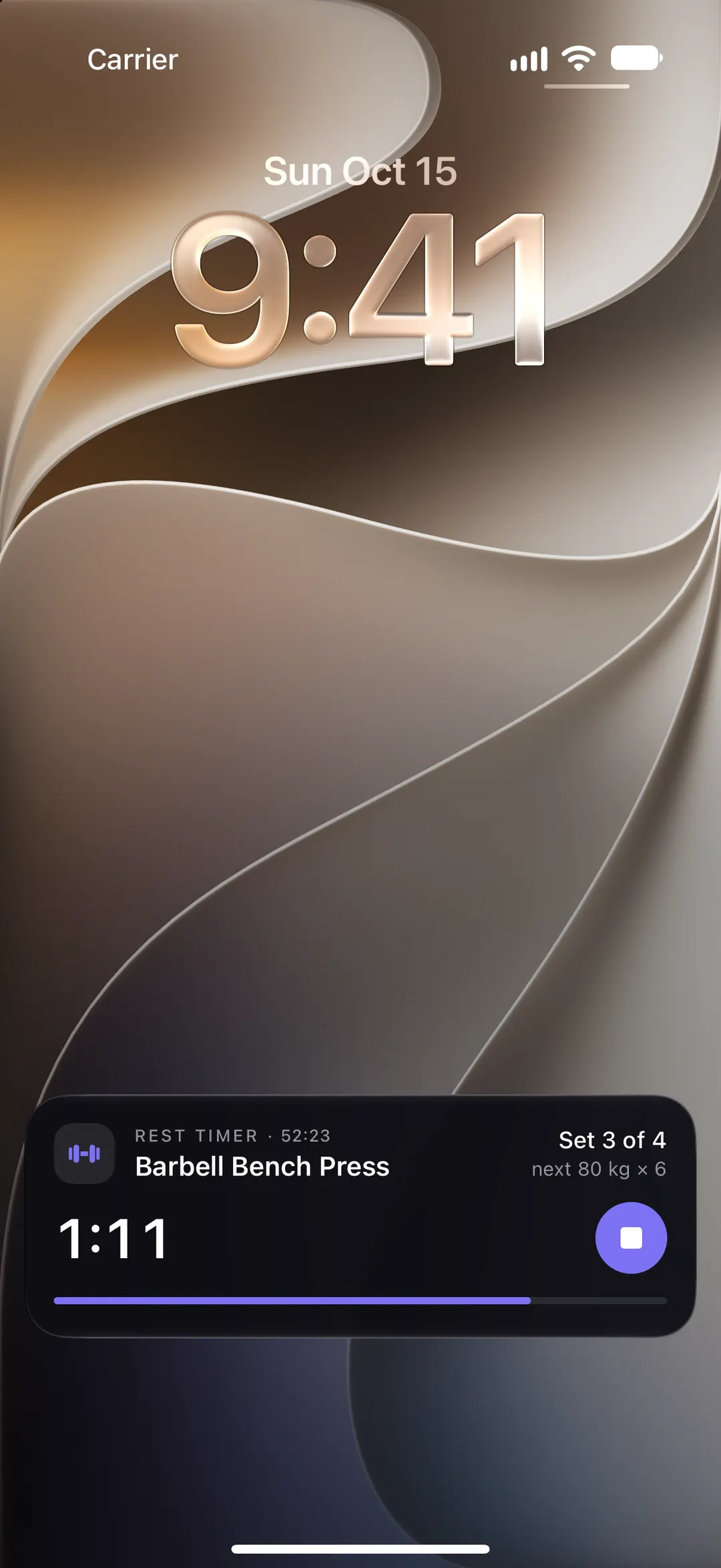
Start the rest timer with one tap, or let it start on its own after every set. On iPhone the countdown follows you to the Lock Screen and the Dynamic Island. On Android it shows as a notification.
-
Finish and see what you did
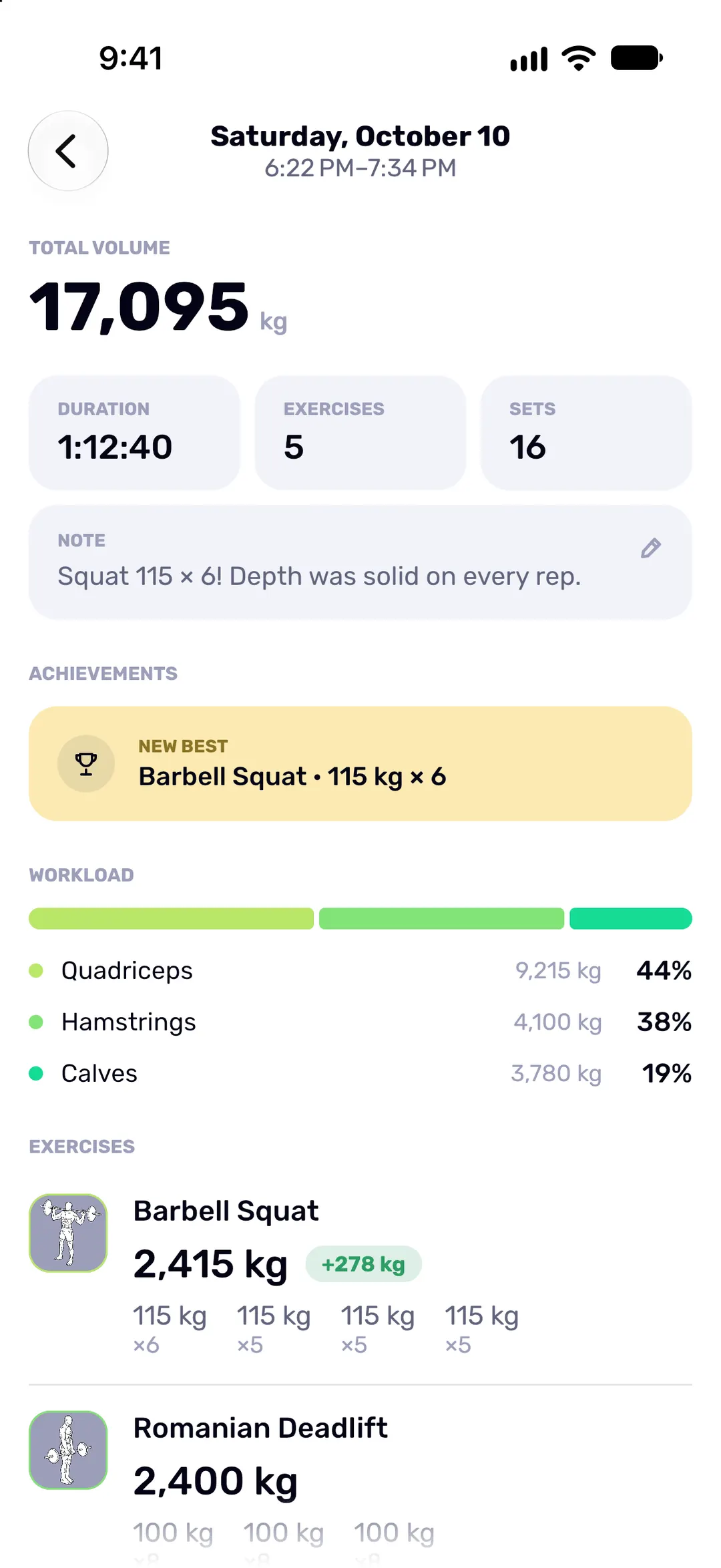
The summary shows duration, sets, total volume, any new best and how the load split across muscle groups. Turn it into an image to share, or save it to your photos.
-
Watch the weeks add up
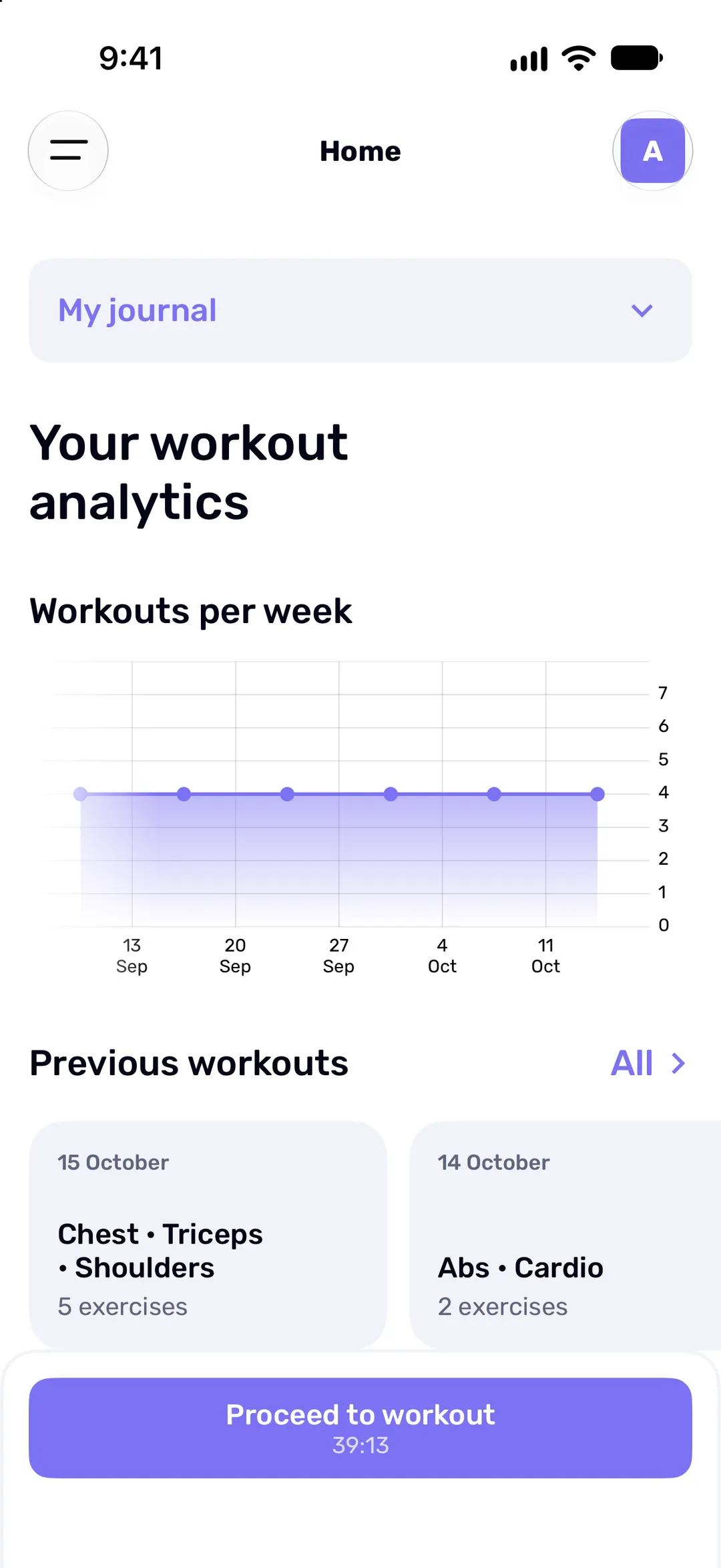
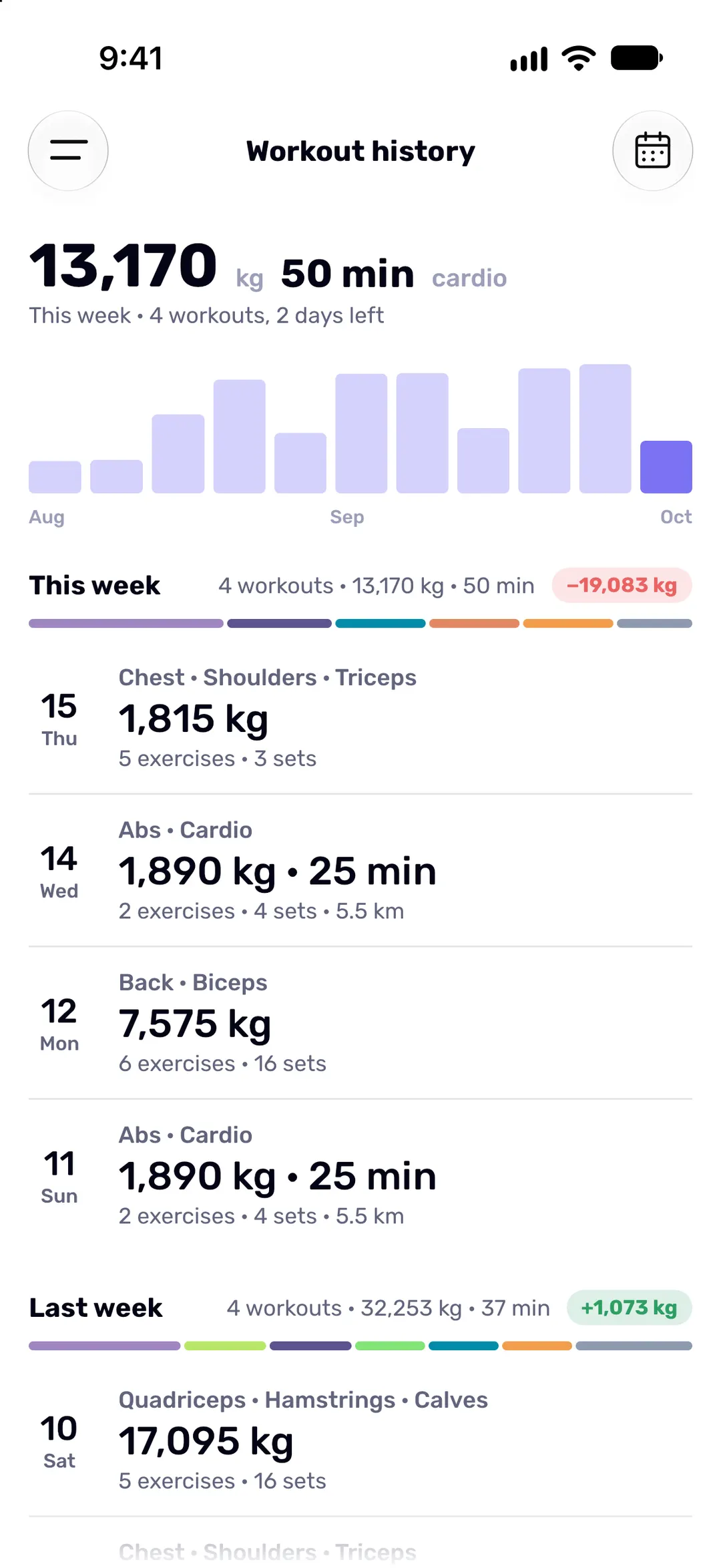
History groups your workouts by week, with a bar for each week’s total volume, so a strong month is easy to spot.
Works offline
No signal in the basement gym? Fit Journal doesn’t need it.
Opens instantly
Your journal lives on your phone, so every screen opens without waiting for a server.
Saves every set
Each set is saved the moment you log it, with or without a connection.
Syncs when you’re back
You need the internet once, to sign in. After that your changes sync in the background whenever you’re online.
All your numbers, one tap away
-
Calendar
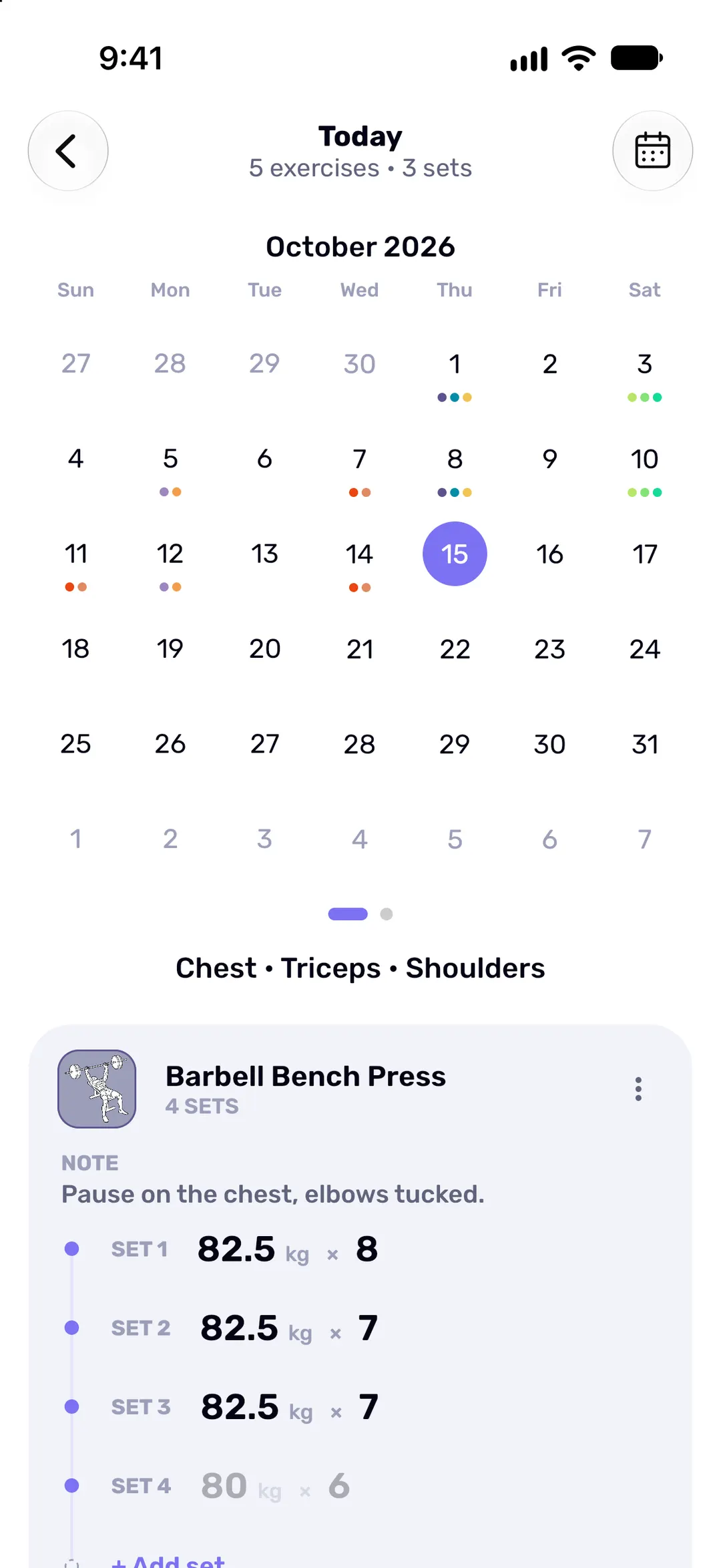
A month at a glance, with coloured dots for the muscle groups you trained each day.
-
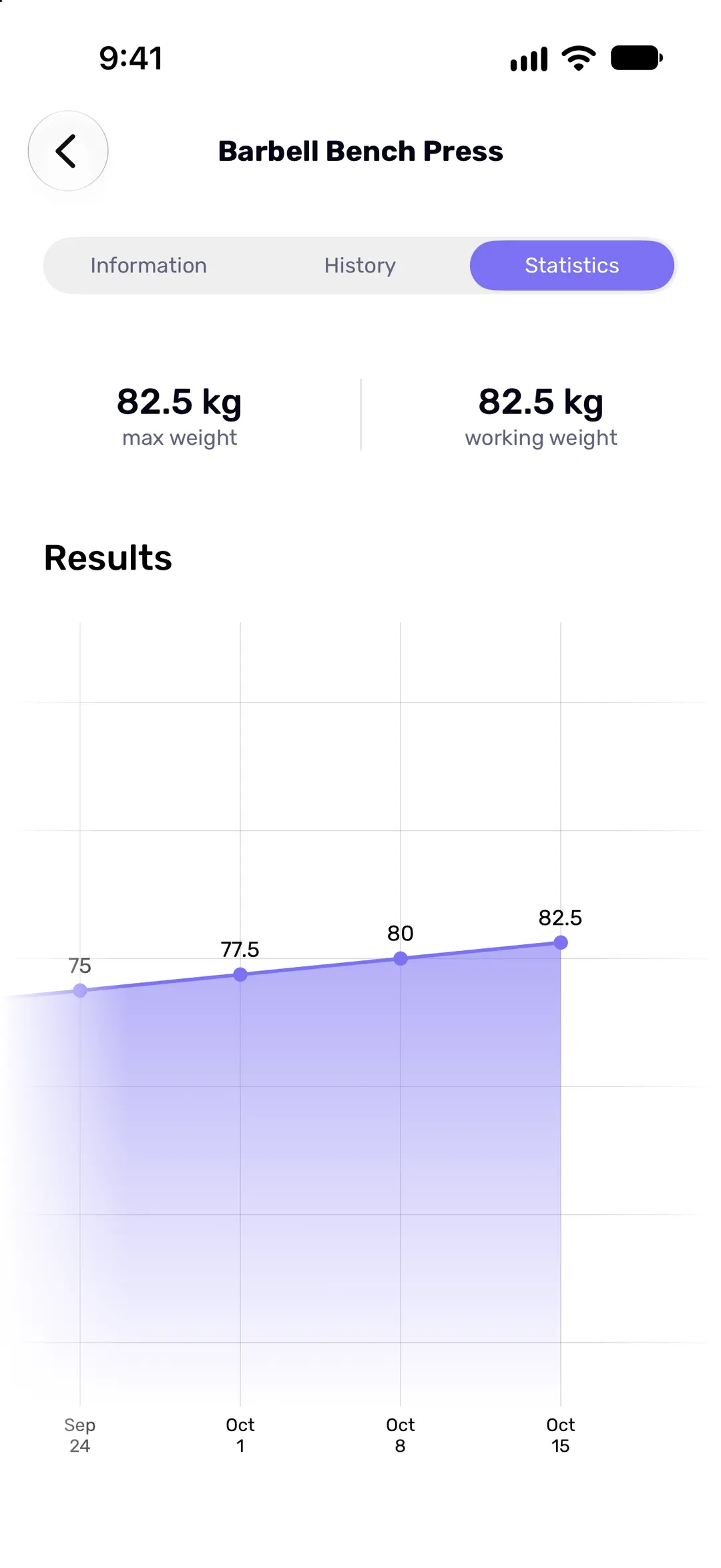
Exercise progress
Your heaviest and working weights for every exercise, charted over time.
-
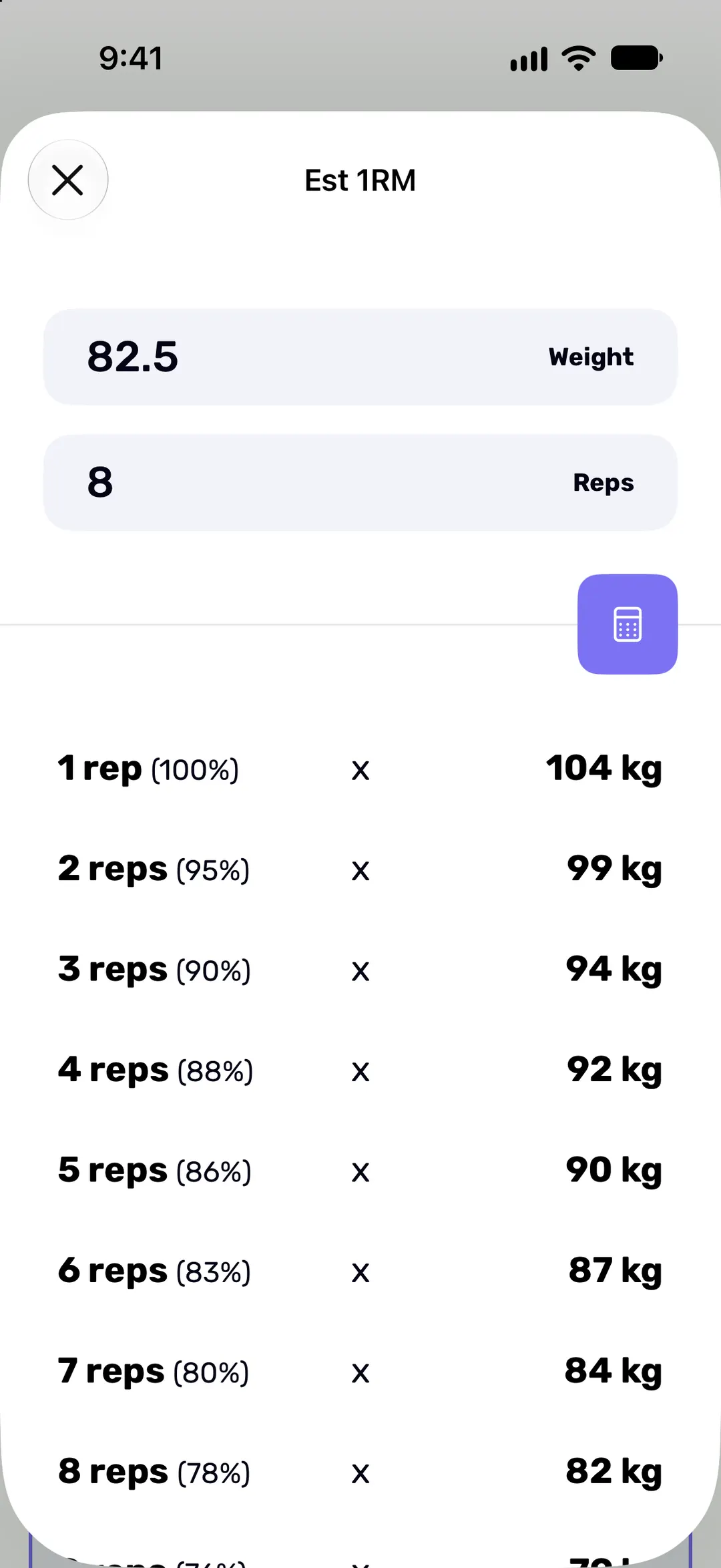
1RM calculator
Your estimated 1RM, with a percentage table for planning working weights.
-
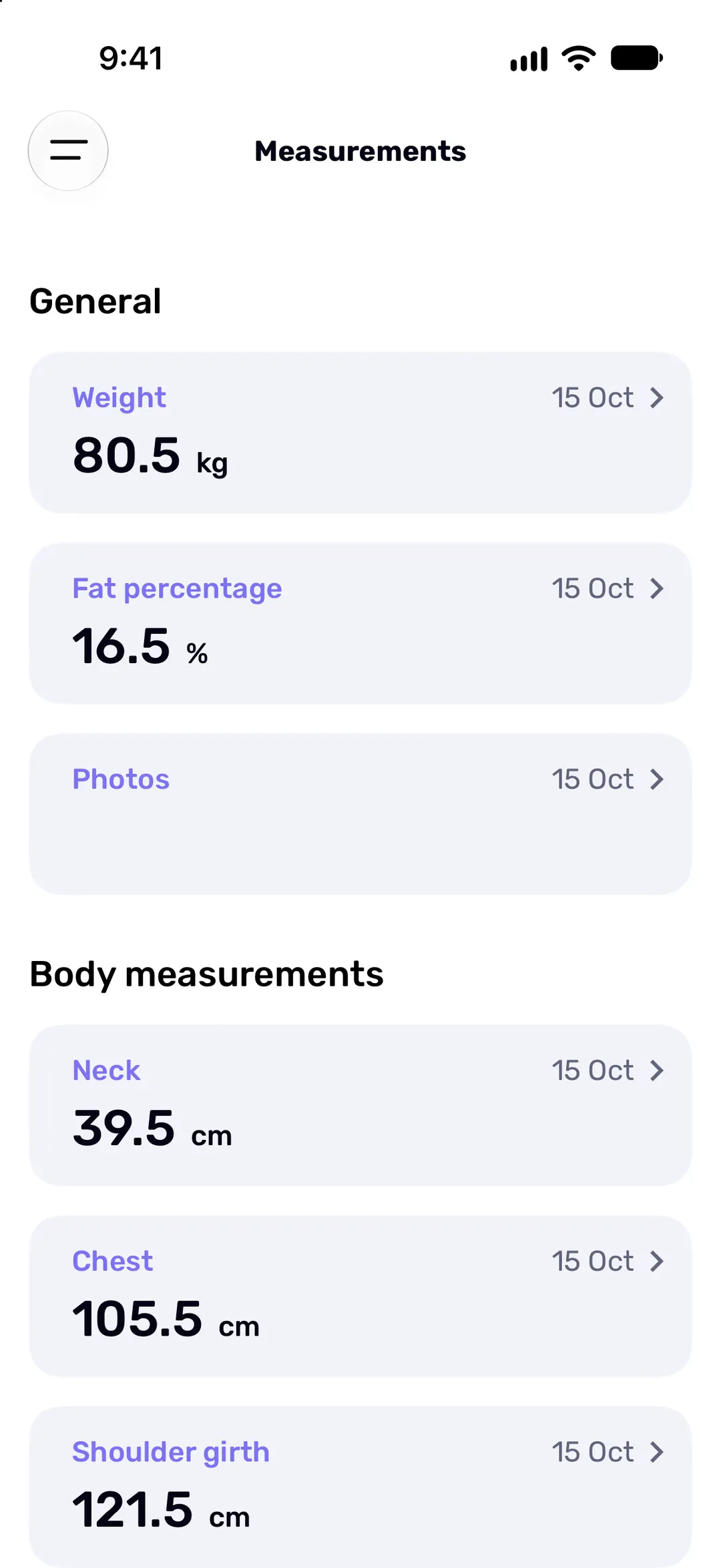
Body measurements
Body weight, body fat, circumferences and progress photos, each on its own chart.
-
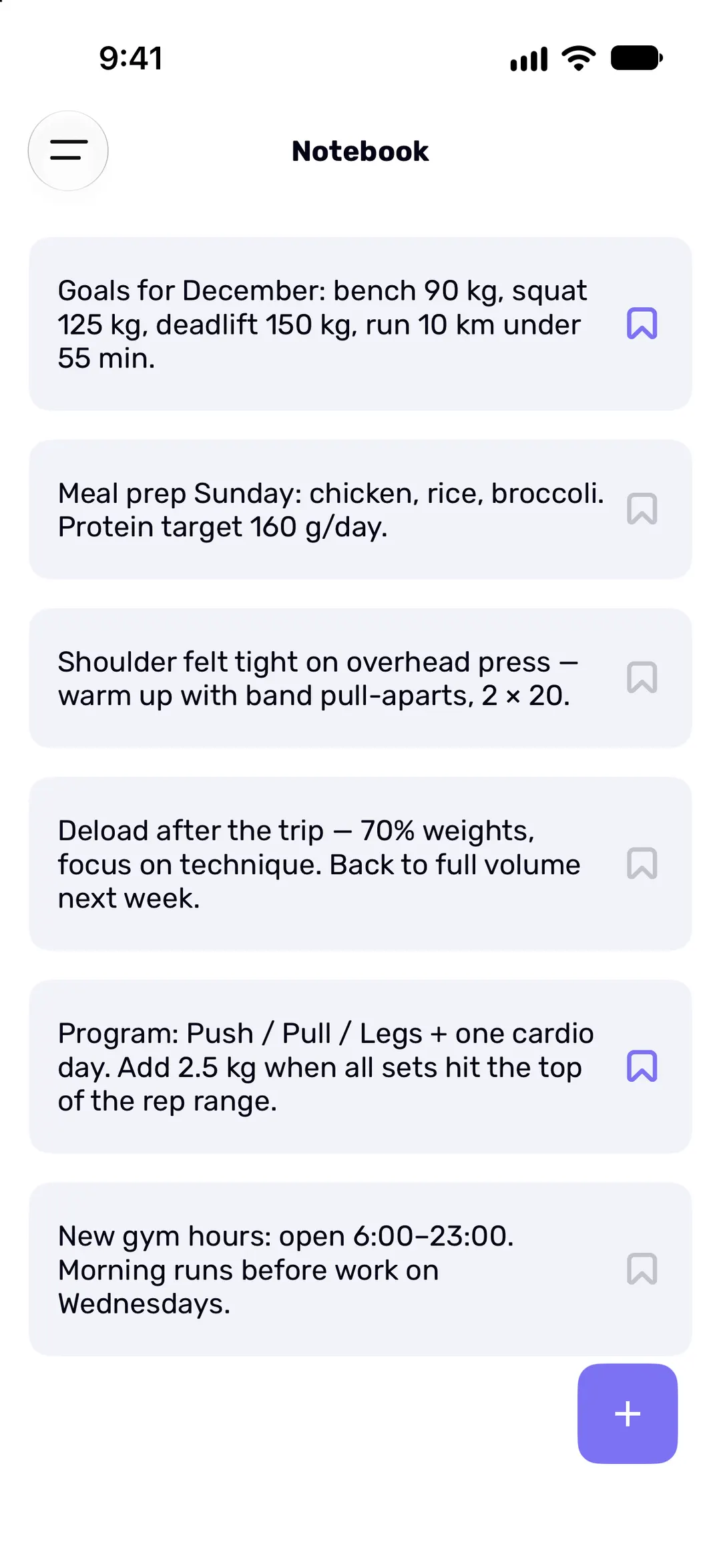
Notes
Notes for a workout, an exercise or just for you. Pin the ones you want to keep in sight.
-
Exercise catalog
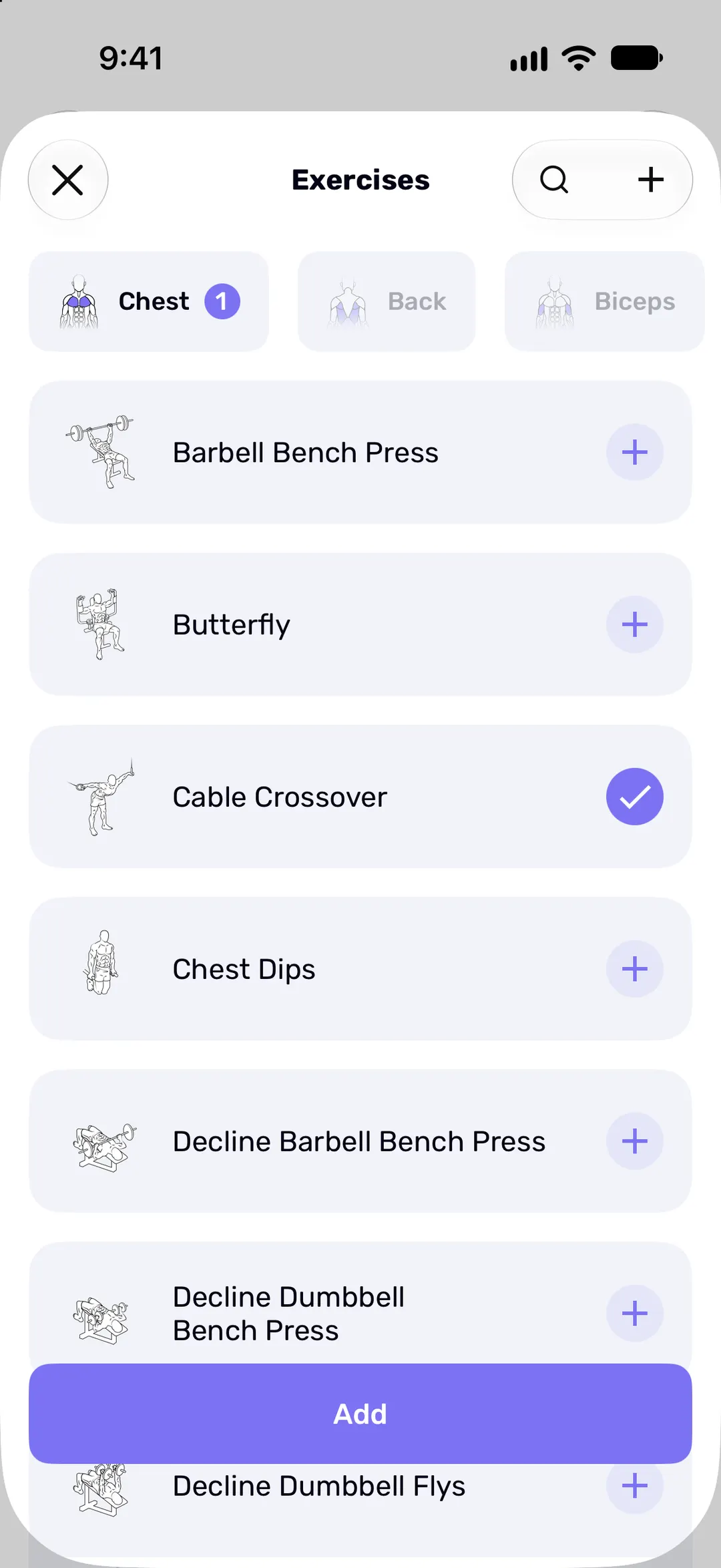
Built-in exercises sorted by muscle group, plus your own. Cardio is logged as distance and time.
Training clients?
Keep a separate journal for each of them, with its own workouts, notes and measurements, and switch between journals in a tap.
Questions
Does Fit Journal work offline?
Does it sync between my devices?
Which devices does Fit Journal run on?
Is Fit Journal free?
How does the subscription work, and how do I cancel?
Can I see what I lifted last time?
Free to start
Download Fit Journal and start logging for free. Upgrade for unlimited workouts when you want more. Whatever you’ve logged stays yours either way.
Free to start. Needs iOS 18 or later, or Android 9 or later.